

This guide shows you exactly how payments work when you book artists on Gigevate. Every step is protected through Trustap Escrow so your money is safe until you approve the performance.
When you confirm a booking on Gigevate your payment is processed securely through Trustap. The money does not go directly to the artist. It is placed in Trustap Escrow and held safely until both sides agree that the performance is complete or until you both agree to release the funds earlier.
This protects you as an organiser because
your money is never paid to the artist without your approval
all communication about the booking is captured
any disputes are handled through Trustap based on clear evidence
Create and confirm booking
Pay through Trustap Escrow
Agree payout timing in chat
Confirm performance completed
Artist claims payout from Trustap
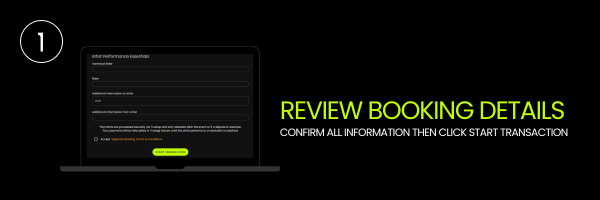
Open the booking request on Gigevate. Check the date, time, fee, riders and any obligations from the artist. Once everything is correct tick the box to accept the Gigevate booking terms and conditions then click Start Transaction.
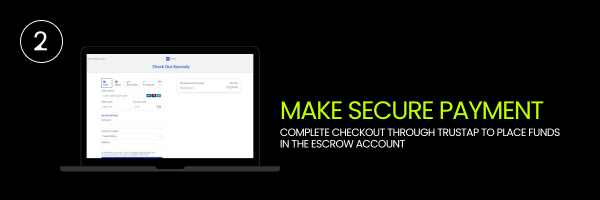
You are redirected to Trustap’s secure checkout page. Select your payment method card or local option then complete your details. When you confirm the payment your booking amount is moved into Trustap Escrow. The artist cannot access the money at this point. It is held safely until you both approve a payout.
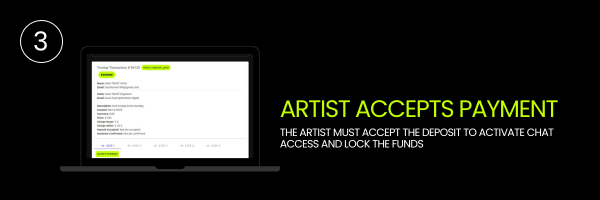
Once your payment is successful the artist sees the Trustap transaction inside their Gigevate dashboard. They click Accept Payment to confirm that they are ready to proceed. When the artist accepts the deposit the booking is locked in and the secure chat opens for both of you.
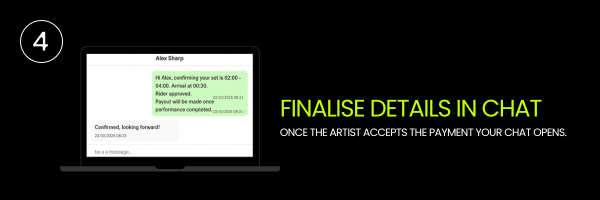
Once the artist accepts the payment your chat opens. Use this space to confirm set times, arrival details, rider information and when you want Trustap to release the funds. Both parties must agree on payout timing. You can decide to release after the performance or earlier if you both request it.
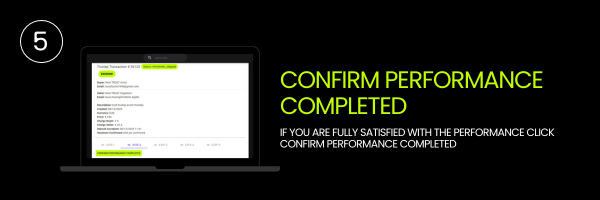
After the event you log back into Gigevate and open the same booking. If you are fully satisfied with the performance click Confirm Performance Completed. Only click this when you have no complaints. Once you confirm you cannot submit a new dispute on this booking.
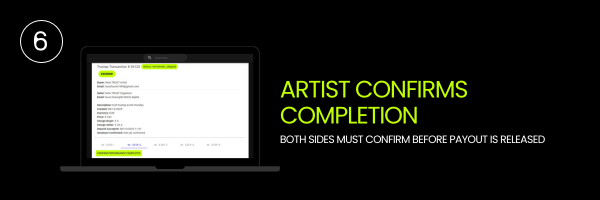
The artist receives a notification that you have confirmed the performance. They open the transaction on their side and also click Confirm Performance Completed. Once both sides confirm Trustap is able to release the payout to the artist.
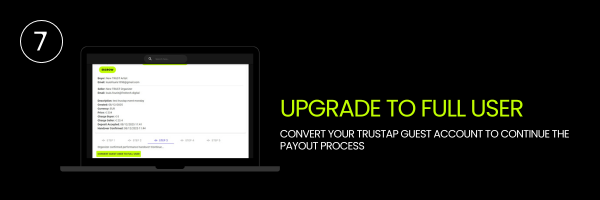
If this is the artist’s first Trustap payout they will be asked to convert their guest user account to a full Trustap account. This is a quick one time step that allows Trustap to verify their identity and pay funds out safely.
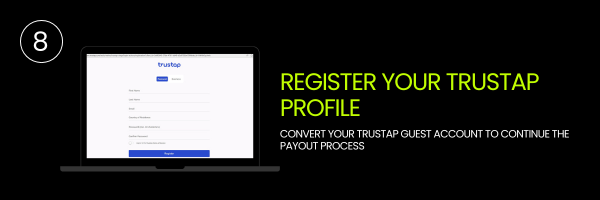
The artist is redirected to Trustap where they create a personal or business account using their name, email, country of residence and a secure password. This account is linked to their future Gigevate bookings so they can receive payouts quickly.
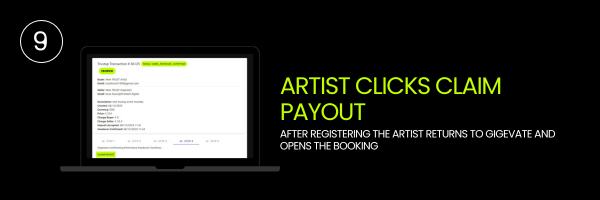
Once registration is complete the artist returns to Gigevate. They open the same booking and click Claim Payout. This sends a request to Trustap to move the funds from escrow into their connected payout method.
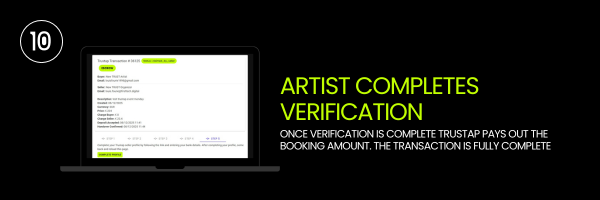
Trustap may require extra information such as date of birth, address or bank details. The artist completes this in their Trustap profile. Once verification is finished Trustap pays out the booking amount to the artist. The transaction is now complete.
By default we recommend that payout is only requested after the performance is completed and both sides are happy. However you can agree in the chat to release funds earlier. For example
part of the fee before the event
the remaining amount after the show
Any early release must be agreed by both organiser and artist inside the Trustap transaction. Once a handover is confirmed and funds are released Gigevate and Trustap cannot reverse the payout unless a dispute has been opened in time.
If there is a problem with the performance you should not click Confirm Performance Completed.
Instead you can use the complaint section inside the Trustap transaction to submit a dispute. Trustap reviews the dispute based on the evidence provided such as chat messages, agreements and media from the event. Refunds may be full, partial or denied depending on the outcome.
Once you click Confirm Performance Completed and the artist also confirms the handover you can no longer raise a new dispute. This is why we strongly recommend confirming only when you are satisfied that the performance matched what was agreed.
Every completed transaction forms part of the user’s Trusted X File on Gigevate. This shows a history of bookings, successful payments and resolved disputes. Over time this builds trust across the scene because organisers and artists can see who has a strong record of delivering what they promise.
Your Trustap account is separate but connected. It is where your identity and payout details are verified. Trustap works with Stripe to keep financial data secure and compliant with global payment regulations.
Your questions answered
No. All payments are completed through Trustap Escrow. This protects both sides and ensures clear documentation for every booking.
The payout is released after both you and the artist confirm that the performance has been completed. You can agree in chat to release funds earlier but both sides must approve this.
Yes. You can agree in the Gigevate chat to release part or all of the fee before the performance. Both sides must approve the request inside Trustap before any early release is made.
If there is a problem you should not click Confirm Performance Completed.
Use the Raise a Complaint option inside the Trustap transaction.
Trustap will review the case based on evidence such as messages and event details.
Do not confirm performance.
Submit a complaint through Trustap so the case can be reviewed fairly.
Trustap will assess the evidence and determine if a refund or partial refund applies.
Contact the artist in chat as soon as possible. If both sides cannot agree on a solution you can open a complaint and Trustap will review the case.
Yes. A dispute must be opened before you confirm performance completed.
After confirmation no new complaints can be submitted.
Once both sides confirm handover Trustap processes the payout. Processing time may vary depending on the artist’s bank and verification status.
You can tailor your exact fee statement here. If your model is free for organisers you can write:
Gigevate does not charge organisers to use the platform. Only completed booking payouts include an artist fee on the artist side.
It is a transparent record of every completed booking, dispute outcome, and verified payout. Your Trusted X File helps build trust across the scene by showing your history of successful events and fair dealings.
Chat allows you and the artist to confirm all show details such as set times, arrival plans, rider needs, and payout timing.
Clear communication protects both sides and reduces the risk of disputes.
If the artist does not accept payment the booking does not move forward. You can withdraw the request or contact Gigevate support for help if the artist is unresponsive.
Yes. Every booking uses its own escrow transaction but the artist’s Trustap profile stays connected to their Gigevate account for faster payouts.
